Qwen 3.5
Run Powerful AI Locally with OpenClaw & Ollama
More Intelligence, Less Compute

What is Qwen 3.5?
Alibaba's latest open-source LLM family
Feb-Mar 2026
Release Date
0.8B - 397B
Model Range
Multimodal
Text + Images + Video
Open Source
Apache 2.0 License
"More Intelligence, Less Compute" — Qwen 3.5 delivers competitive performance with smaller, more efficient models that run on consumer hardware.

Model Sizes
Choose the right size for your hardware
Small
0.8B - 9B
On-device, mobile, edge computing
0.8B · 1.5B · 3B · 7B · 9B
Medium
14B - 35B
Production workloads, consumer GPUs
14B · 21B · 28B · 35B
Large
397B
Flagship performance, multi-GPU
397B (MoE architecture)
All models available on Ollama — pull and run locally in minutes.

Why Run Locally?
Take control of your AI infrastructure
🔒
Privacy
Your data stays on your machine. No cloud providers, no data sharing, complete control.
💰
Cost
No API fees, no monthly subscriptions. Unlimited usage after initial hardware investment.
⚡
Speed
No network latency. Instant responses from local inference on your hardware.
📡
Offline
Works without internet. Perfect for air-gapped environments and travel.
🎛️
Control
Full customization. Fine-tune, modify prompts, adjust parameters freely.

Performance Highlights
Competitive with much larger models
35B > 235B
Qwen3.5-35B outperforms older 235B models
Efficient
Runs on consumer hardware (RTX 3090/4090)
Small = Powerful
7B competitive with larger alternatives
Multimodal
Native text, image, and video understanding
Qwen 3.5 proves that smarter architecture beats raw parameter count — delivering flagship performance at a fraction of the compute cost.

OpenClaw + Ollama Setup
Get started in minutes
📥
1. Install Ollama
Download from ollama.ai and install. One-click setup for macOS, Linux, and Windows.
⬇️
2. Pull Qwen 3.5
Run ollama pull qwen3.5:7b to download the model. Choose your size (7b, 14b, 35b).
⚙️
3. Configure OpenClaw
Set model provider to Ollama, configure base URL (localhost:11434), select Qwen 3.5.
🚀
4. Start Building
Chat, code, research, create. Your local AI assistant is ready to work.
No API keys, no cloud accounts, no complexity. Just install, pull, and go.

Installation Steps
Get up and running in 5 minutes
-
Install Ollama
# macOS / Linux curl -fsSL https://ollama.com/install.sh | sh # Windows winget install Ollama.Ollama -
Pull Qwen 3.5 Model
# Small model (7B) - good for most tasks ollama pull qwen3.5:7b # Medium model (35B) - better performance ollama pull qwen3.5:35b -
Verify Installation
# Test the model ollama run qwen3.5:7b "Hello, how are you?" - Configure OpenClaw (next slide)
Ollama handles all the complexity — model downloads, GPU acceleration, memory management.

OpenClaw Configuration
Point OpenClaw at your local Ollama instance
# ~/.openclaw/config.yml
agents:
  defaults:
    model: qwen3.5:7b
    provider: ollama
    baseURL: http://localhost:11434

providers:
  ollama:
    baseURL: http://localhost:11434
    timeout: 120000
🚀
Zero Latency
Local inference means instant responses. No network round-trips.
🔒
Complete Privacy
Your conversations never leave your machine. No API logs.
💰
Unlimited Usage
No token limits. No monthly bills. Run as much as you want.
📡
Offline Capable
Works without internet. Perfect for air-gapped environments.
Restart OpenClaw gateway after config changes:
openclaw gateway restart

Use Cases
What can you build with local Qwen 3.5?
💬
Personal AI Assistant
Chat, brainstorm, get answers. All private, all local, no API costs.
💻
Code Generation & Review
Write code, debug issues, review PRs. Qwen 3.5 excels at programming tasks.
📚
Research & Summarization
Analyze documents, extract insights, summarize long content.
✍️
Content Creation
Write articles, emails, social posts. Edit and refine drafts.
📄
Document Analysis
Parse PDFs, extract data, answer questions about your files.
🔧
Automation & Scripting
Generate shell scripts, automate workflows, build tools.
Qwen 3.5's multimodal capabilities mean you can also process images and video locally.
Advantages vs Cloud APIs
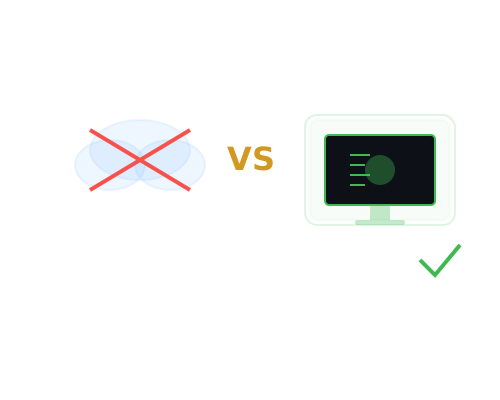
Why run AI locally instead of using ChatGPT/Claude API?
$0/mo
No Subscription Fees
∞
Unlimited Tokens
100%
Private & Secure
☁️ Cloud APIs
- 💸 Pay per token ($0.003-$0.015/1K)
- 📊 Your data logged for training
- 🌐 Requires internet connection
- ⏱️ Network latency (100-500ms)
- 🚫 Rate limits & quotas
- 📜 Terms of service restrictions
→
🏠 Local Qwen 3.5
- ✅ One-time hardware cost, then free
- 🔒 Data never leaves your machine
- 📡 Works completely offline
- ⚡ Sub-100ms response times
- ♾️ No limits whatsoever
- 🎯 Full control & customization
For heavy users, local AI pays for itself in 3-6 months. Plus: no vendor lock-in, no API changes breaking your workflow.

Hardware Requirements
What do you need to run Qwen 3.5 locally?
7B
Small Model
8GB RAM
GTX 1660 / M1 Mac
~5 tokens/sec
GTX 1660 / M1 Mac
~5 tokens/sec
35B
Medium Model
32GB RAM
RTX 3090 / 4090
~15 tokens/sec
RTX 3090 / 4090
~15 tokens/sec
397B
Large Model
128GB+ RAM
Multi-GPU setup
Research/enterprise
Multi-GPU setup
Research/enterprise
Recommended for most users: Qwen 3.5 7B on a modern laptop or desktop. Runs well on Apple Silicon Macs, gaming PCs, or even CPU-only (slower but works).
- 💻 CPU-only mode: Works but 5-10x slower. Fine for occasional use.
- 🎮 Gaming GPU: RTX 3060+ recommended for smooth experience.
- 🍎 Apple Silicon: M1/M2/M3 Macs run 7B-14B models excellently via Metal acceleration.
- ☁️ Cloud option: Rent GPU instances (RunPod, Vast.ai) for ~$0.30/hr if you don't have hardware.
Getting Started
Ready to run powerful AI on your own hardware?
The future of AI is local. No subscriptions, no data mining, no rate limits. Just you, your hardware, and unlimited AI capability. Qwen 3.5 + OpenClaw + Ollama makes it dead simple.
- 📥 Download Ollama: ollama.com
- 🦞 Install OpenClaw: openclaw.org
- 🤖 Pull Qwen 3.5:
ollama pull qwen3.5:7b - ⚙️ Configure & restart: Point OpenClaw at localhost:11434
- 🚀 Start building: Chat, code, automate, create
5 min
Setup Time
$0
Monthly Cost
100%
Your Data
Questions? Join the OpenClaw Discord or check the docs at docs.openclaw.org